

Sub-Blueprints
A Sub-Blueprint is a mini Blueprint you can drop into other Blueprints. They’re great when you want to save common patterns once and reuse them everywhere.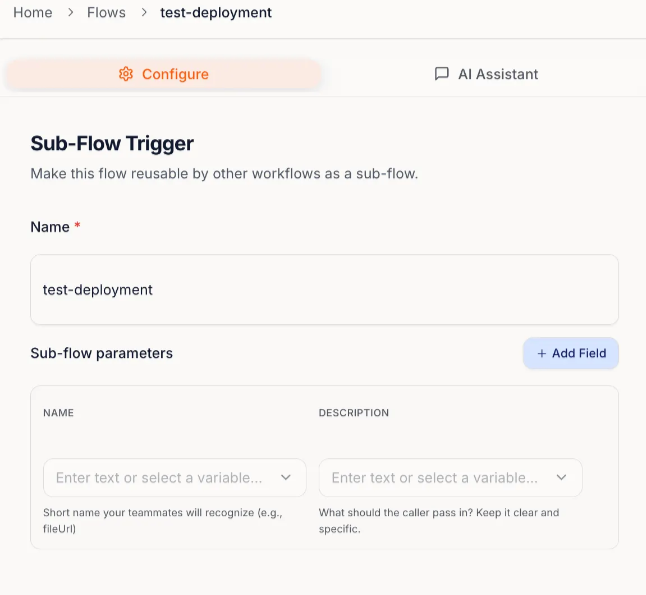
When to use Sub-Blueprints
Use them for things you repeat often, like:- Standard formatting (names, dates, fields)
- Shared notifications (Slack/email)
- Routine follow-ups (create tasks, update records)
- Cross-team consistency (“log this to a sheet”, “notify sales”)
Right now, Sub-Blueprints work best for background tasks your main Blueprint doesn’t need to wait on.
Call Sub-Blueprint
Once a Sub-Blueprint is created, you can add it as a step inside another Blueprint.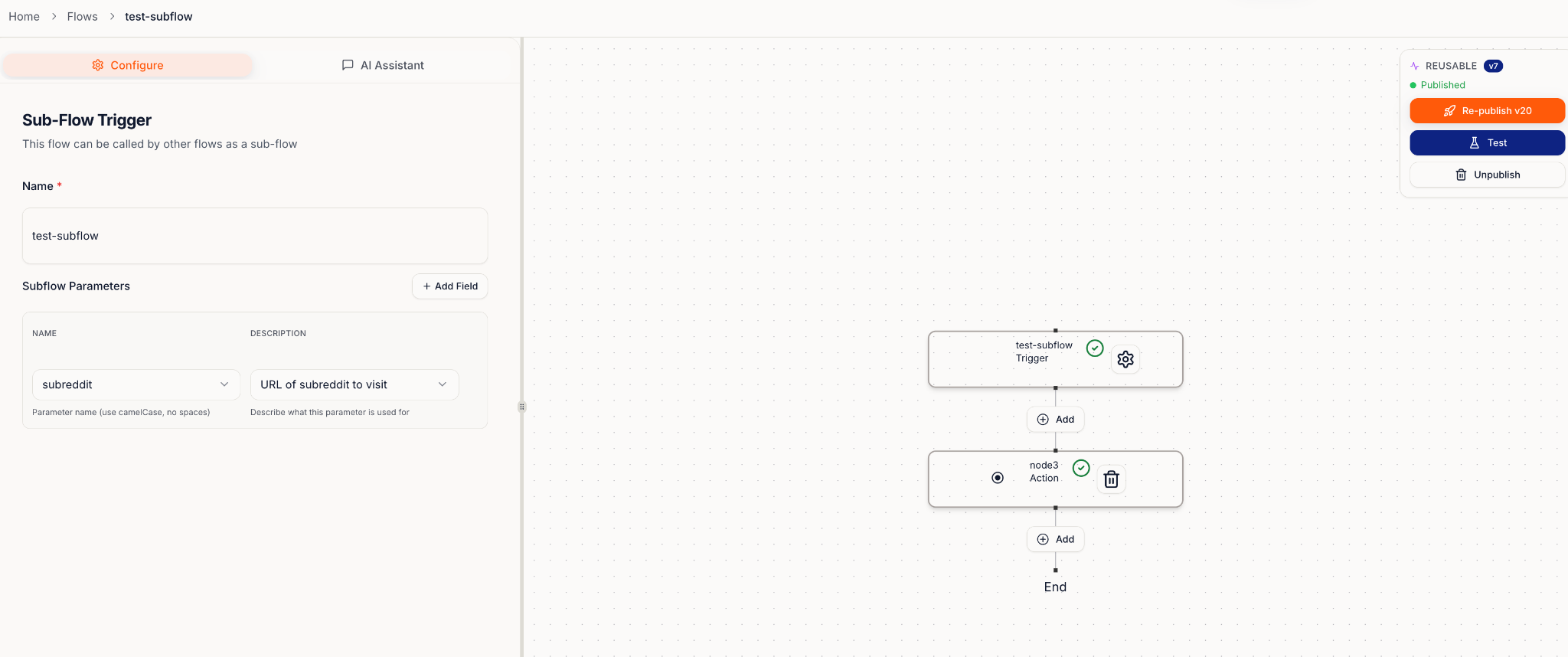
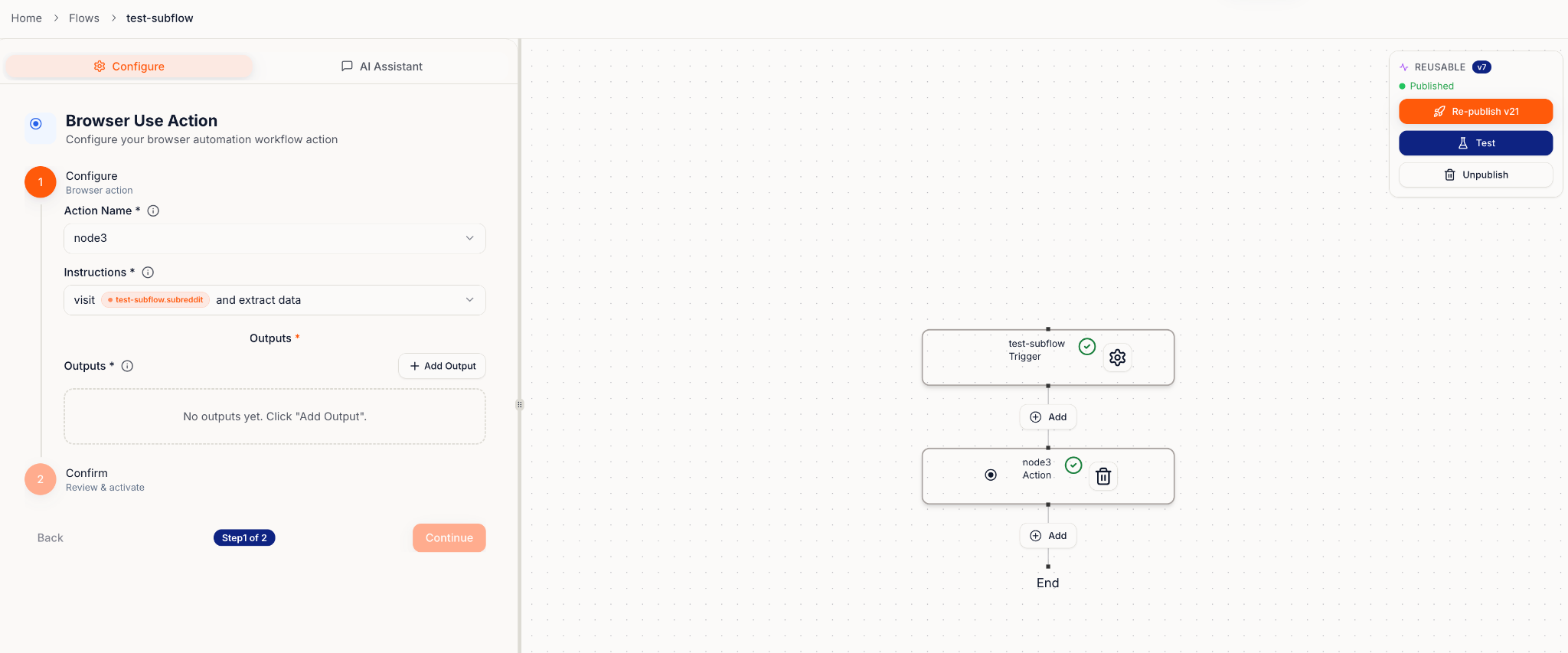
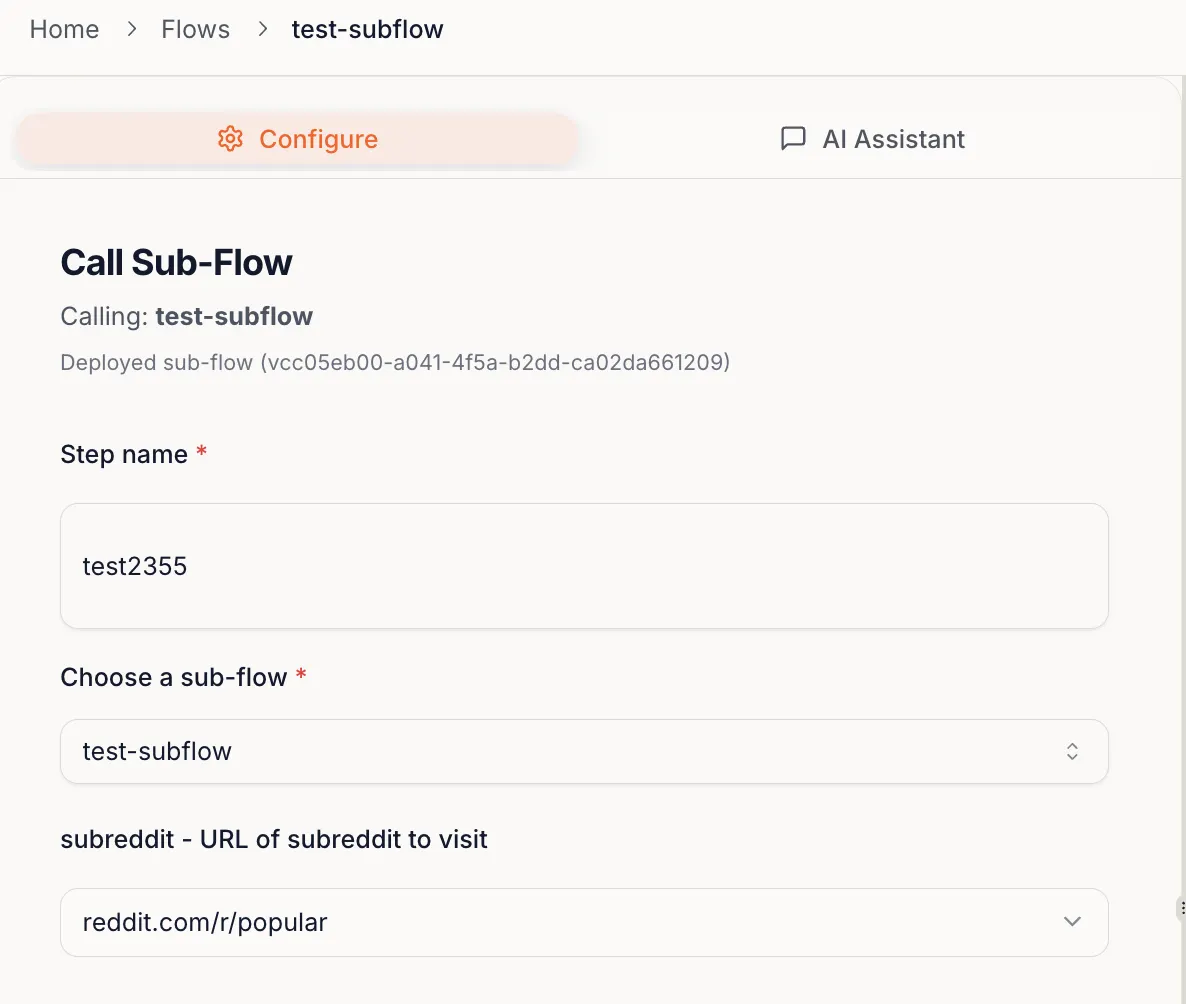
- SharePoint Uploader: A sub-blueprint that uploads outputs to SharePoint at the end of many Blueprints
- Report Builder: A sub-blueprint that generates a report you reuse across multiple processes