> ## Documentation Index
> Fetch the complete documentation index at: https://docs-beta-fuze.chaoslab.co.nz/llms.txt
> Use this file to discover all available pages before exploring further.
# Build Your First Blueprint
> Create your first automation in minutes
# Your first win: the "Cup of Tea" Blueprint
Your first Blueprint should be so simple you can:
1. Click **Start**
2. Go make a cup of tea
3. Come back
4. See a finished output waiting for you
The easiest beginner Blueprint is:
**File Upload → Report Generation → (optional) SharePoint Upload**
***
# Getting Started: Build a Blueprint
## 1) Create a new Blueprint
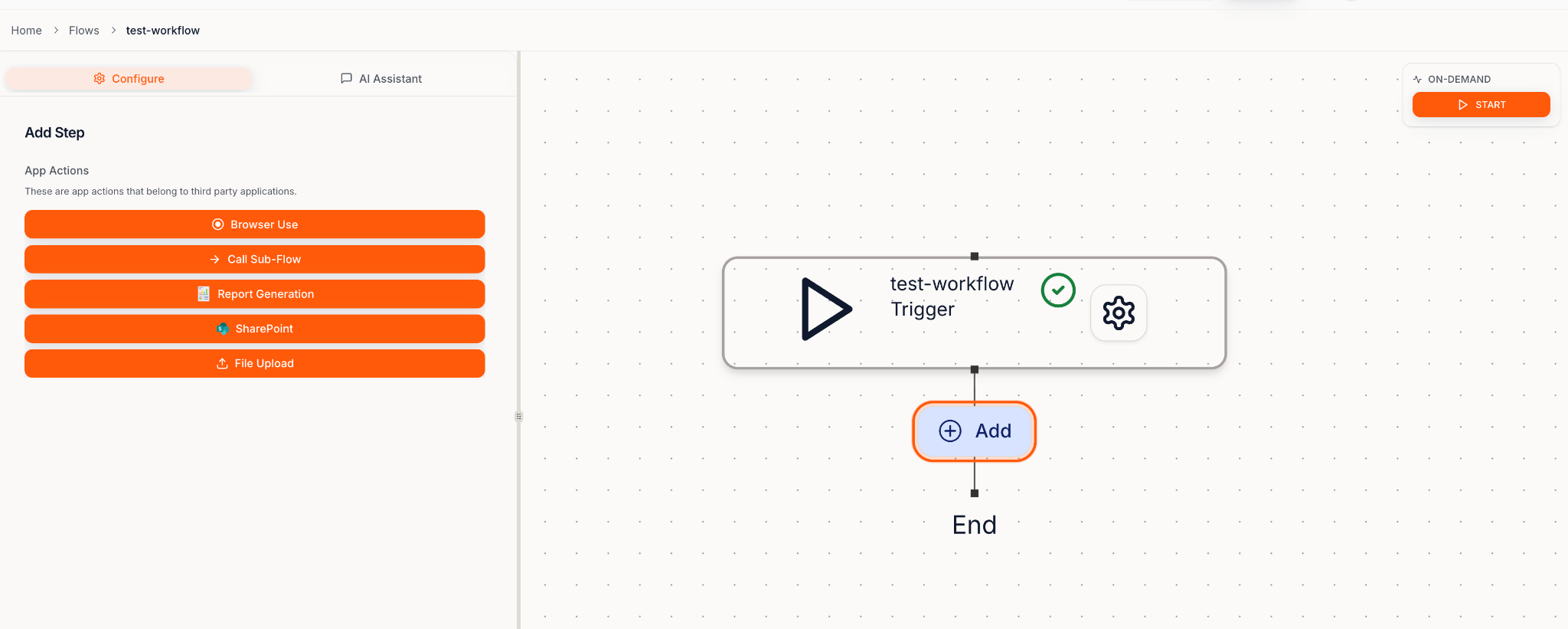
 Click **Create a new Blueprint**
 ***
## 2) Choose your Blueprint type
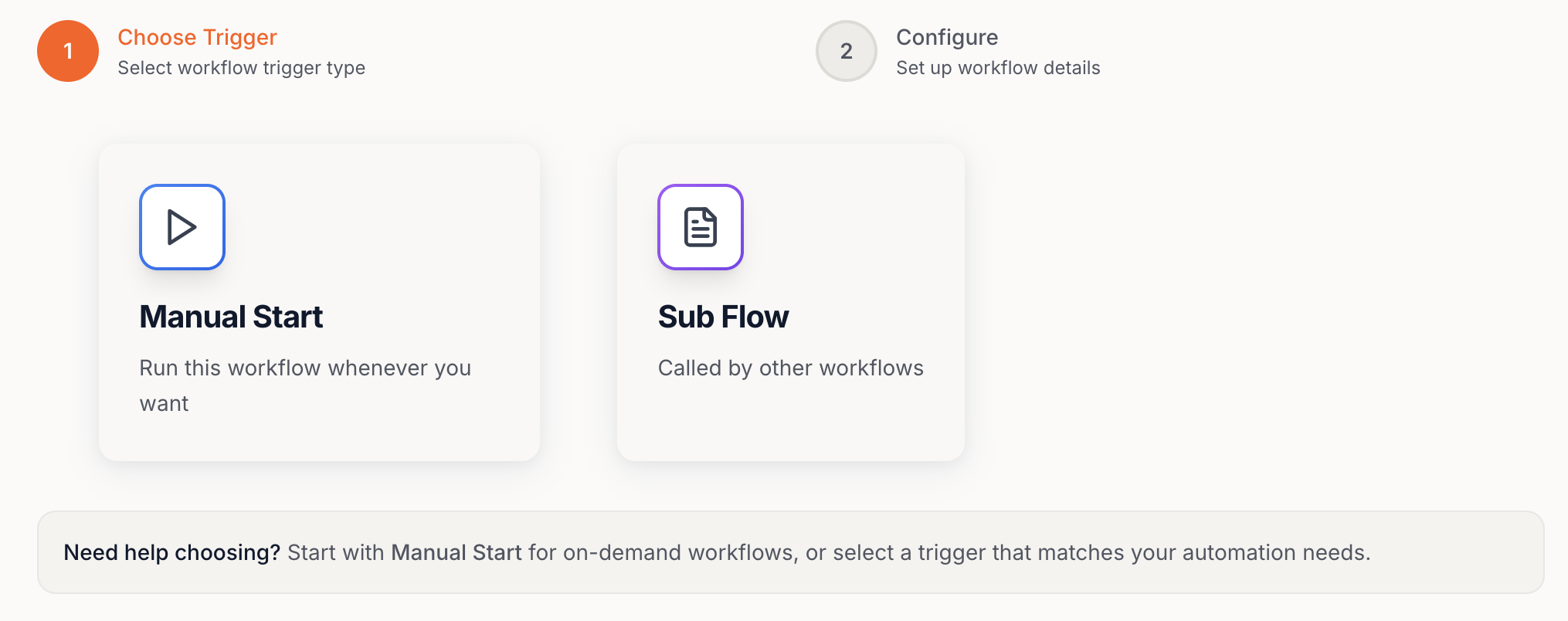
There are two modes:
* **Manual Start** → runs when you click **Start**
* **Sub-Blueprint** → runs as a reusable step inside another Blueprint
### Manual Start (recommended first)
***
## 2) Choose your Blueprint type
There are two modes:
* **Manual Start** → runs when you click **Start**
* **Sub-Blueprint** → runs as a reusable step inside another Blueprint
### Manual Start (recommended first)
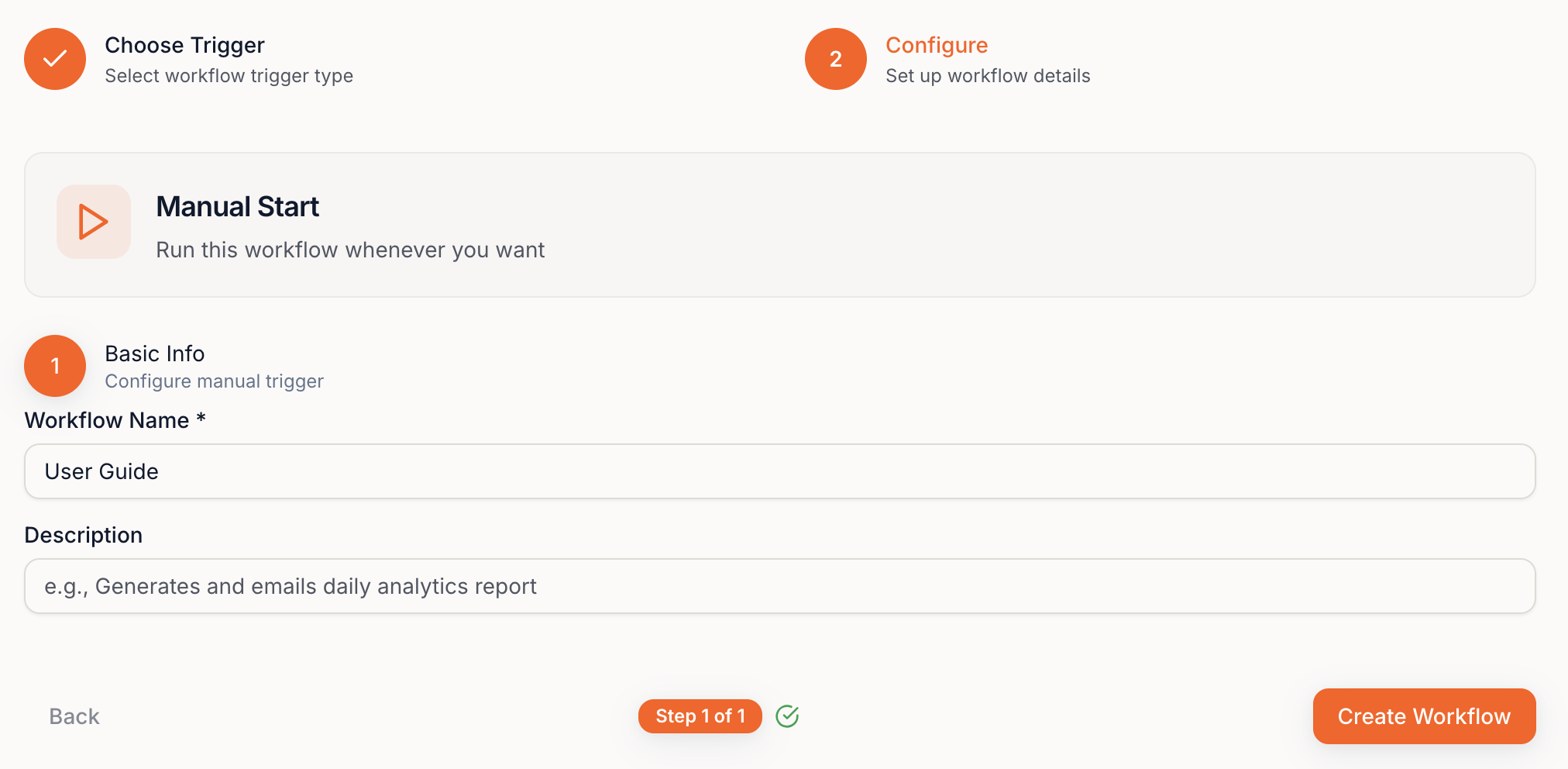 Create Blueprint → Click **+ Add** → choose the **Steps** you want.