> ## Documentation Index
> Fetch the complete documentation index at: https://docs-beta-fuze.chaoslab.co.nz/llms.txt
> Use this file to discover all available pages before exploring further.

# SharePoint

> Select, upload, and create files in your connected SharePoint

# SharePoint

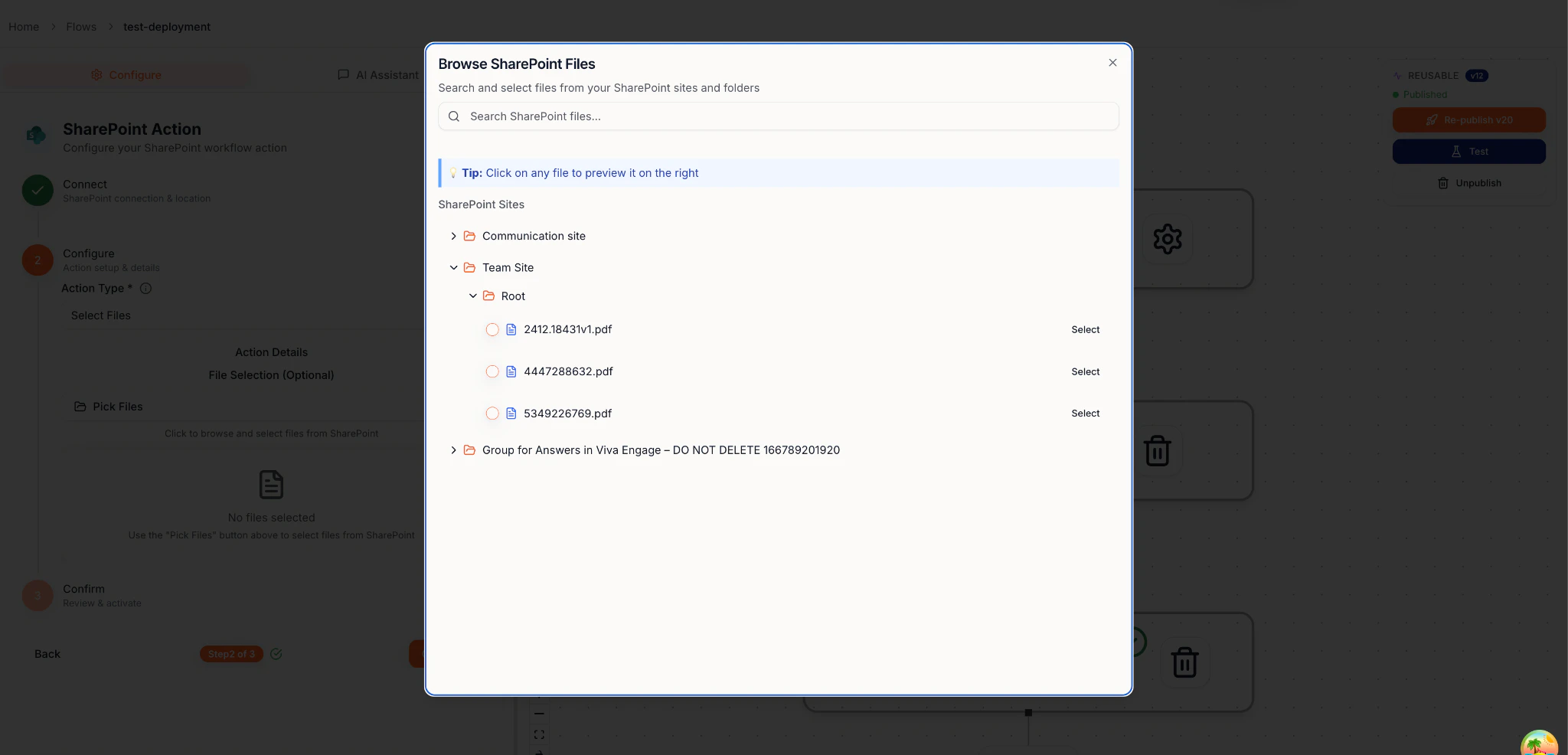
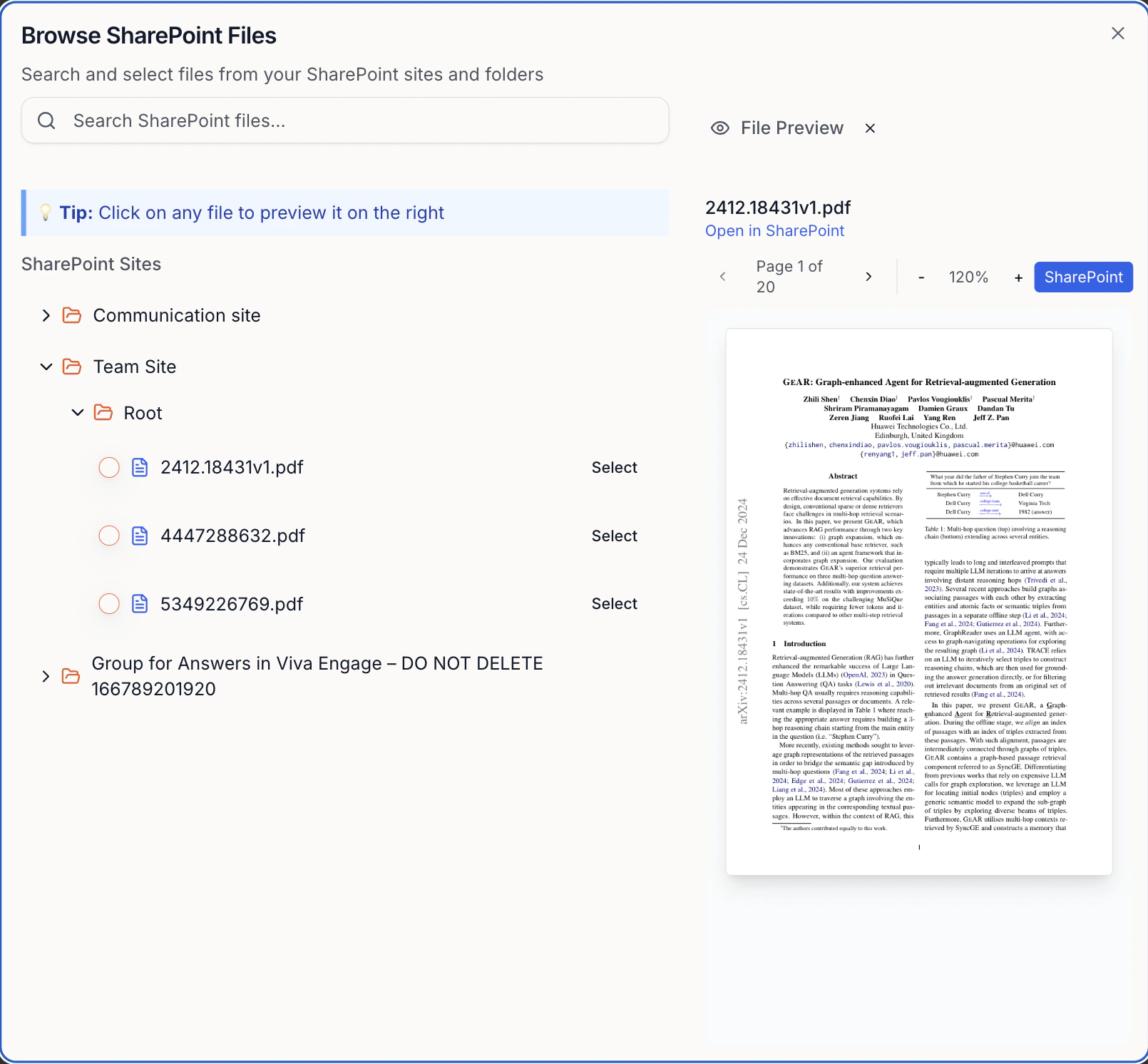
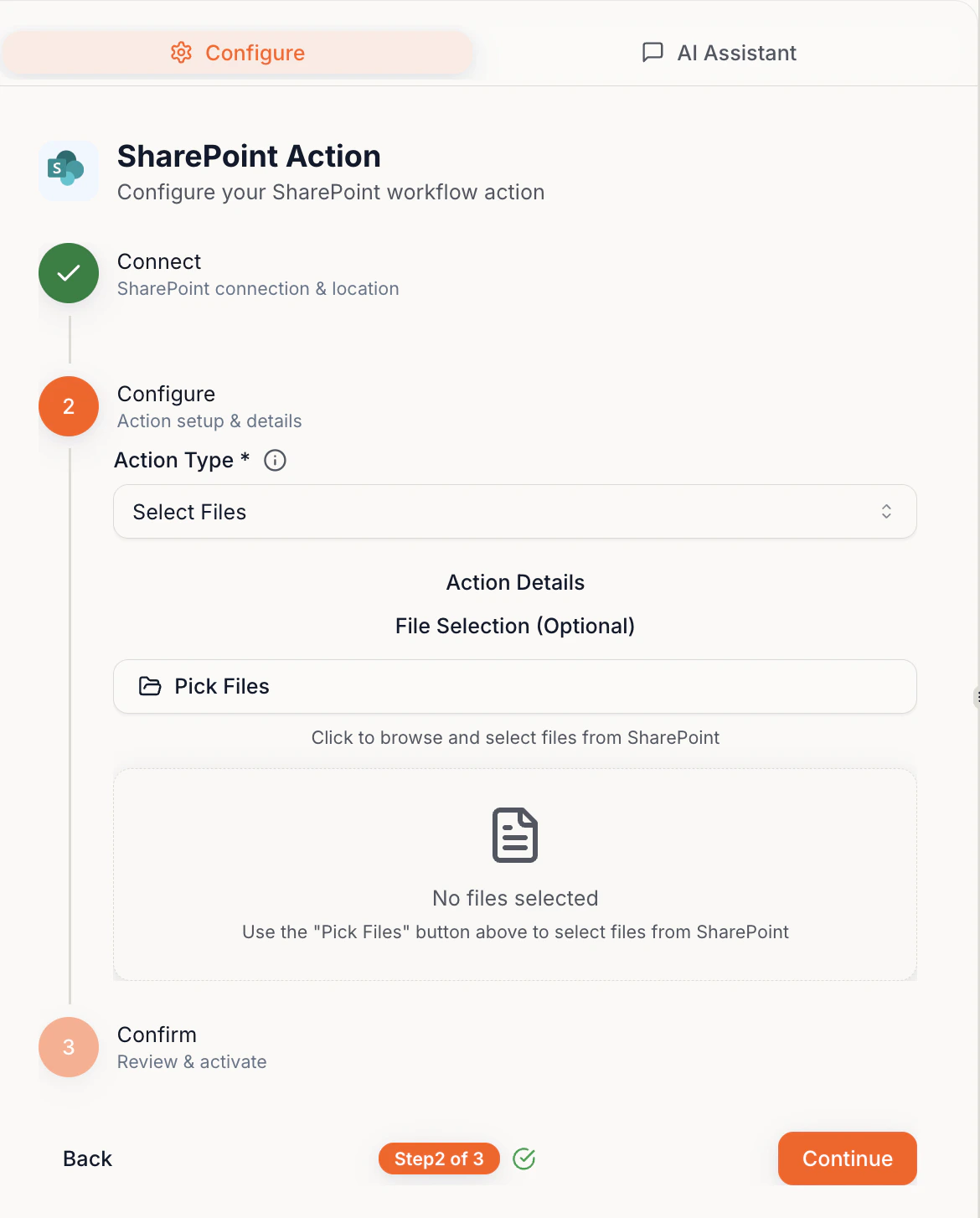
Select, upload, and create files in your connected SharePoint.

**Tips:**

* Click the filename to preview
* Selected files can be used by later steps
<Frame>
  <img src="https://mintcdn.com/fuze-0518d254/nJUOaKEeX059o6Hu/images/Private__SharedUser_guideimage20.png?fit=max&auto=format&n=nJUOaKEeX059o6Hu&q=85&s=2c61620f4352ac32ce32165bf4166cff" alt="SharePoint file selection" width="1170" height="1454" data-path="images/Private__SharedUser_guideimage20.png" />
</Frame>

<Frame>
  <img src="https://mintcdn.com/fuze-0518d254/nJUOaKEeX059o6Hu/images/Private__SharedUser_guideimage8.png?fit=max&auto=format&n=nJUOaKEeX059o6Hu&q=85&s=79fa07cc099c02ee75b24a38226eaa5d" alt="SharePoint preview" width="2048" height="986" data-path="images/Private__SharedUser_guideimage8.png" />
</Frame>

<Frame>
  <img src="https://mintcdn.com/fuze-0518d254/nJUOaKEeX059o6Hu/images/Private__SharedUser_guideimage23.png?fit=max&auto=format&n=nJUOaKEeX059o6Hu&q=85&s=78c76839fb250ddc0b144ff703035717" alt="SharePoint upload" width="1610" height="1492" data-path="images/Private__SharedUser_guideimage23.png" />
</Frame>