> ## Documentation Index
> Fetch the complete documentation index at: https://docs-beta-fuze.chaoslab.co.nz/llms.txt
> Use this file to discover all available pages before exploring further.
# Activate Panel
> Turn your Blueprints on and off
# Activate Panel
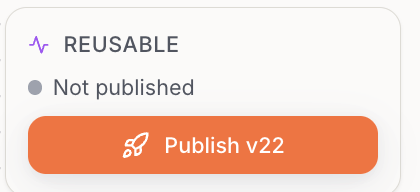
Think of **Activate** as "turning the Blueprint on".
 ***
## Options
| Action | Description |
| --------------- | -------------------------------------------- |
| **Activate** | Make a Blueprint live |
| **Re-activate** | Apply changes to an already active Blueprint |
| **Deactivate** | Stop it running automatically |
| **Test** | Run manually to check it works |
Activation matters most for automatic triggers (scheduled or file-based).
For Manual Start Blueprints, you can always click **Start**.
***
## Options
| Action | Description |
| --------------- | -------------------------------------------- |
| **Activate** | Make a Blueprint live |
| **Re-activate** | Apply changes to an already active Blueprint |
| **Deactivate** | Stop it running automatically |
| **Test** | Run manually to check it works |
Activation matters most for automatic triggers (scheduled or file-based).
For Manual Start Blueprints, you can always click **Start**.